 Kitchen AI

 Modern
 Scandinavian
 Japandi
 Modern farmhouse
 Industrial
 Quiet luxury
- How-to
- Cabinet paint
- Color testing
How to Try Cabinet Colors Before Painting
Preview the whole kitchen on a photo to narrow the field, then paint a large sample and watch it for a few days in your own light. The photo shows the overall effect, not the exact shade, so the sample makes the final call.

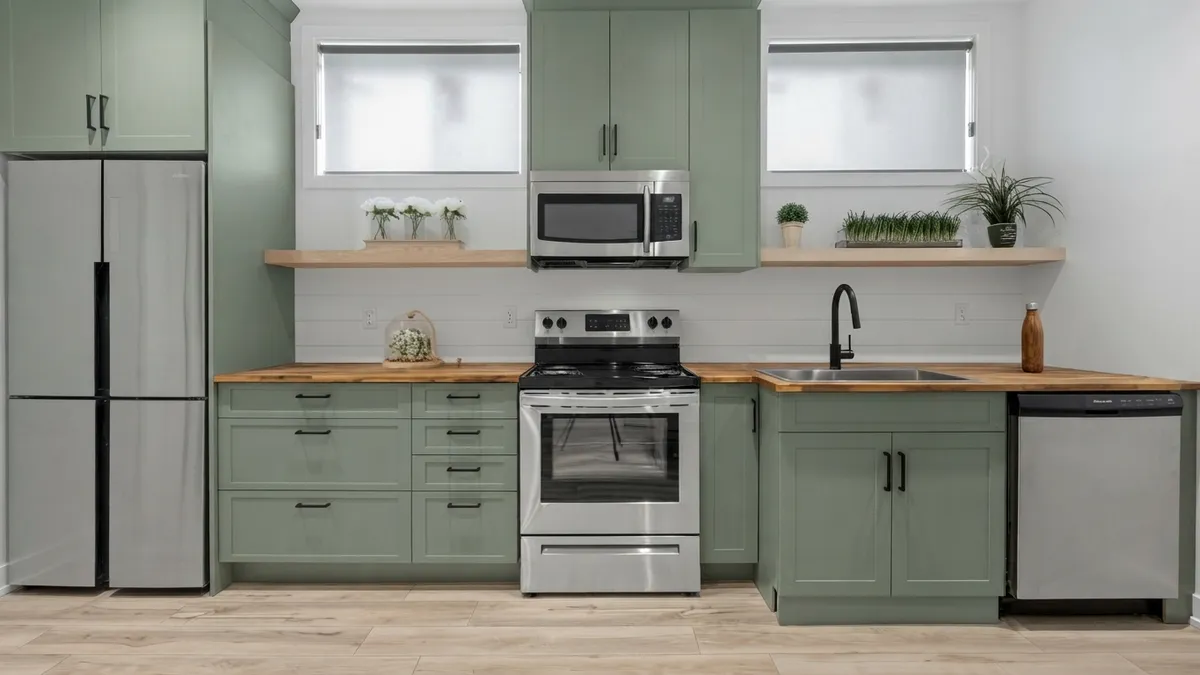
One kitchen, three looks. This is the sage version. The range, the fridge, the two windows and the faucet stay where they are in all three.
3 free designs. No account needed.
To try cabinet colors before painting, narrow the field by previewing the whole kitchen on a photo. Then paint a large sample for your top two or three colors and watch it next to your floor and countertop at different times of day. The photo shows the overall effect, not the exact shade, so the sample makes the final call.
What are the ways to try a cabinet color?
There are five, and they answer different questions. None of them is the whole answer on its own.
| Method | What it tells you | What it doesn't |
|---|---|---|
| Paint chip or fan deck | Which colors are in the right family | How the color looks across a whole run of cabinets, or in your light |
| Peel-and-stick sample | A bigger patch you can move around the room | Your door's real sheen and texture |
| Painted sample board | The actual paint, in the sheen you plan to use, in your light | How the whole kitchen balances |
| Test patch on a door back or hidden side | How the paint behaves on your actual surface | Anything about the overall look |
| Photo preview of the whole kitchen | How a color sits with your floor, countertop and backsplash, before you buy anything | The exact paint shade |
The useful pattern is to go from wide to narrow. A photo preview and a few chips decide which two or three colors deserve a real test. Samples and a test patch then decide which of those you actually paint.
Are paint chips enough?
No. A chip is a good way to find candidates and a poor way to choose one. It is small, it sits on a white card that changes how you read it, and the color you hold in one hand looks different once it covers every door in the room. Use chips to cut a wall of options down to a handful, and then stop trusting them.
Peel-and-stick samples fix the size problem. They are larger, you can stick them to the cabinets, the wall and the side of the fridge, and you can move them without painting anything. Read what you are buying, though: some are real paint on a backing and some are printed, and a printed sample can drift from the can. Neither one has the sheen or the texture of your own door.
How do you paint a sample that tells you something?
Paint a board, not a patch on the wall. A sheet of primed board or a spare piece of cabinet panel, painted in two coats, can be carried to the window, held beside the countertop and propped on the counter at night. A patch on the wall can only be looked at where it is.
- Use the sheen you plan to buy. A glossier finish reflects more light than a matte one, so a color in the wrong sheen reads differently.
- Make it big. Roughly the size of a door panel is better than a swatch you can cover with a hand.
- Let it dry fully before you judge. Wet paint looks different from dry paint, so judge only once it is dry.
- Test where you can undo it. The back of a door, the inside of a cabinet door, or a hidden side panel shows how the paint behaves on your actual surface without a visible patch.
If you are weighing two close colors, such as a white against an off-white, put both boards side by side. Two samples next to each other teach you more than either one alone, and the difference between white and off-white is exactly the kind of thing that only shows up that way. White versus off-white in the same kitchen shows how far apart they read.
When should you look at the sample?
Several times, over a few days. Cabinet color changes through the day because the light does: cooler and flatter from a north window, warmer and yellower in the evening, and different again once the lamps and any under-cabinet lights are on. A color you loved at noon can look dull at six.
Look at it in the morning, at midday and in the evening with your own lighting on. Do not rely on a phone photo of the sample to remember it, because a phone corrects white balance by itself and will quietly flatter or flatten the color. Your eyes in the room are the test.
What should the color sit next to?
The fixed things: the floor, the countertop, the backsplash, the appliances and the wall color. You are not choosing a color in isolation. You are choosing how it behaves beside everything you are keeping, and an undertone that clashes with your floor can make a color look wrong on the doors when it looked right on the chip.
Hold the board against each of them in turn, one at a time, and cover the others with a sheet if you can. Pay most attention to undertones: a warm white beside a cool gray countertop, or a stark white door above a creamy floor, is where a mismatch shows. If you have wood floors, six cabinet colors against the same oak floor shows what the floor does to each one.
Can you preview the whole kitchen on a photo?
Yes, and it is the one method that shows how a color sits with everything at once. You photograph your own kitchen, choose a cabinet color, and Kitchen AI returns the same room with the new cabinets in it. If you want the longer version of how that works, the app to see new kitchen cabinets walks through it. Here is what it looks like on one kitchen in three versions.
The room is one straight wall: a freestanding range in the middle, a fridge on the left, a dishwasher on the right and two windows over the counter. These are three renders of that kitchen made with Kitchen AI. The sage version is the picture at the top. The white and the oak follow.
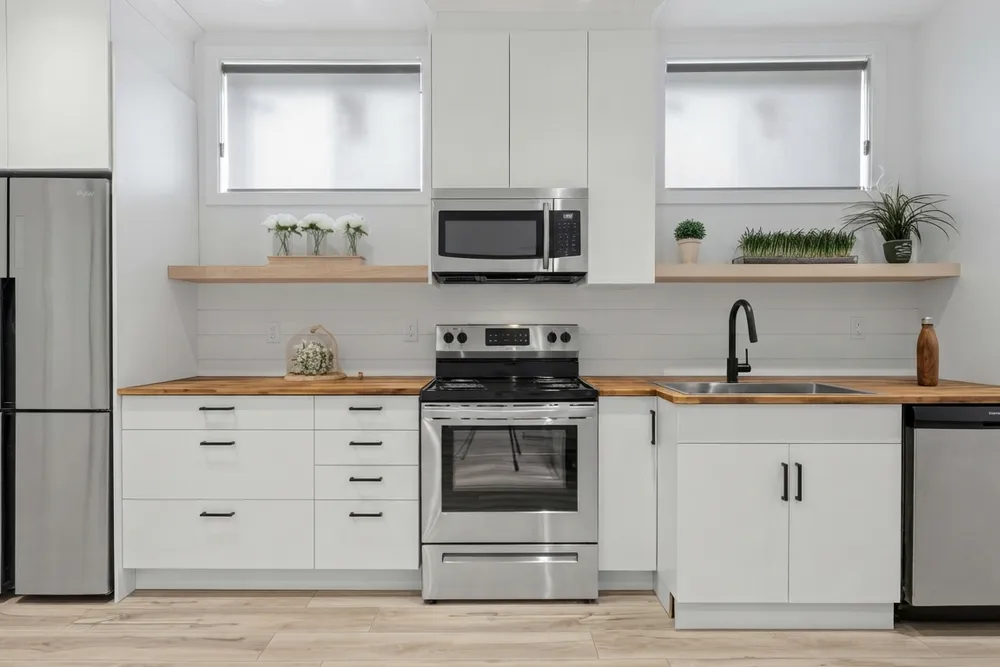
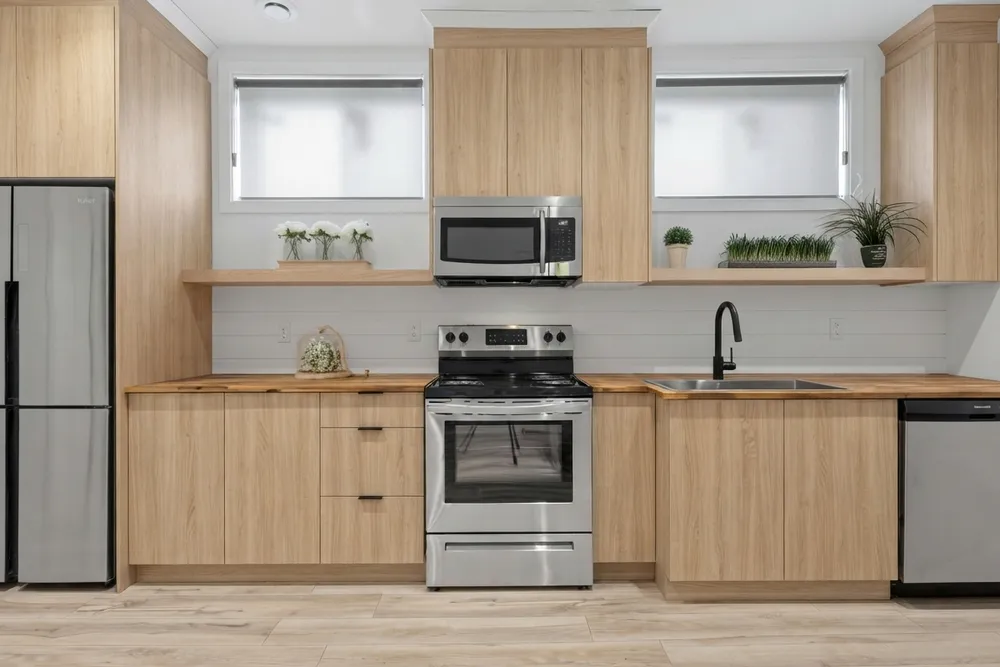
Read these honestly, because this is not a clean paint test. Along with the color, the app changed the door style (shaker in the sage version, flat slab in the other two), the pulls, the tone of the open shelves, and in the oak version it added a tall cabinet at the right end and the upper cabinets reach to a different height. What stayed put: the range, the fridge, the windows, the black faucet, the butcher-block countertop and the shiplap backsplash.
One observation came from keeping those fixed things. Against the sage doors the butcher-block countertop stands out as the warmest, most orange thing in the room. Against the oak it blends in, because the wood tones are close and the line between door and counter gets soft. On white, the countertop becomes the main color. The three cabinet colors change which of your existing surfaces dominates, and that is the part a chip cannot show you.
Also note that the oak look is a wood finish, not paint, so only the sage and the white are real candidates for a can of paint. The oak is on the page to show how far the same room moves.
For a paint decision the useful part is the shortlist. Cabinet color, countertop, backsplash, flooring, wall color and hardware are chosen separately in the app, so you can ask for a new cabinet color only and leave the other steps alone. That keeps the comparison as close to one variable as the app gets; still check each result for the side changes described above. If you have already narrowed to a color, there are full write-ups of sage green cabinets and of white versus off-white.
What can a photo preview not tell you?
The exact paint. The images are an AI impression, and screen color is not paint color. The app does not give you a paint code, it will not tell you how a shade shifts through your day, and it does not move walls, windows or appliances: the room's layout stays as photographed. As the three versions above show, it can also change surfaces you did not ask about, so check the countertop, hardware and floor in every result before you decide.
That is why the order matters. Use the preview to rule colors in and out of the whole room, then use the sample board to choose the shade. If a color you liked on the photo looks wrong on the board, believe the board.
In what order should you test?
- Collect chips or a fan deck and pull out the colors you like. Cut them to a handful.
- Preview the whole kitchen on a photo to see how those colors sit with your floor, countertop and backsplash. Cut to two or three.
- Paint a large sample board of each, in the sheen you plan to use, and let it dry fully.
- Look at the boards over a few days: morning, midday, evening, lamps on, next to every fixed surface.
- Paint a test patch on the back of a door or a hidden side before you commit to the whole kitchen.
One photo of your kitchen in the light you cook in is enough to start the preview. More full-room examples are on the before and after page, and the blog has the individual color guides.
Published October 12, 2026. The images in this article were made with Kitchen AI and are an AI impression, not a technical drawing. How we mark that.
I build Kitchen AI on my own: the app that shows your own kitchen in a different style. For these articles I test everything in real rooms, with real photos, and write down what happens. Something wrong, or missing? Let me know.